Designing a functional programmer's office | .mdd
[ ](https://mdd.eu/en/) - [ Products ](/en/products/) Products
Categories
[ New products ](/en/new-products/)
[ Outdoor ](/en/outdoor/) Outdoor
[ All ](/en/outdoor/) [Outdoor seating](/en/outdoor/seating/) [Outdoor tables](/en/outdoor/tables/) [Accessories for outdoor furniture](/en/outdoor/accessories-for-outdoor-furniture/)
[ Seating ](/en/seating/) Seating
[ All ](/en/seating/) [Office chairs](/en/seating/office-chairs/) [Meeting chairs](/en/seating/meeting-chairs/) [High stools](/en/seating/high-stools/) [Kitchen and dining chairs](/en/seating/kitchen-chairs/) [Stackable chairs](/en/seating/stackable-chairs/) [Sofas](/en/seating/sofas/) [Armchairs](/en/seating/armchairs/) [Poufs](/en/seating/poufs/) [Lounge](/en/seating/lounge/) [Benches](/en/seating/benches/) [Footrests](/en/seating/footrests/) [Wooden seats](/en/seating/wooden-seats/) [Plastic chairs](/en/seating/plastic-chairs/) [Accessories for seating](/en/seating/accessories-for-seating/)
[ Receptions ](/en/receptions/) Receptions
[ All ](/en/receptions/) [Reception desks](/en/receptions/reception-desks/) [Accessories for reception desks](/en/receptions/accessories-for-reception-desks/)
[ Desks ](/en/desks/) Desks
[ All ](/en/desks/) [Height adjustable Desks](/en/desks/height-adjustable-desks/) [One-station desks](/en/desks/one-station-desks/) [Bench desks](/en/desks/bench-desks/) [Desks with storage](/en/desks/desks-with-storage/) [Desk systems](/en/desks/desk-systems/) [Executive desk](/en/desks/executive-desk/) [Accessories for desks](/en/desks/accessories-for-desks/)
[ Storage furniture ](/en/cabinets-and-pedestals/) Storage furniture
[ All ](/en/cabinets-and-pedestals/) [Pedestals](/en/cabinets-and-pedestals/pedestals/) [Cabinets](/en/cabinets-and-pedestals/cabinets/) [Storage cabinets](/en/cabinets-and-pedestals/storage-cabinets/) [Bookcases](/en/cabinets-and-pedestals/bookcases/) [Wardrobes](/en/cabinets-and-pedestals/wardrobes/) [Glass-door cabinets](/en/cabinets-and-pedestals/glass-door-cabinets/) [Executive cabinets](/en/cabinets-and-pedestals/executive-cabinets/) [Coat racks](/en/cabinets-and-pedestals/coat-racks/) [Plant pots](/en/cabinets-and-pedestals/plant-pots/) [Accessories for storage](/en/cabinets-and-pedestals/accessories-for-storage/)
[ Acoustics ](/en/acoustics/) Acoustics
[ All ](/en/acoustics/) [Booths](/en/acoustics/acoustic-pods/) [Freestanding screens](/en/acoustics/freestanding-screens/) [Acoustic wall and ceiling panels](/en/acoustics/wall-panels/) [Desk screens](/en/acoustics/desk-panels/) [Meeting cubicles](/en/acoustics/meeting-cubicles/) [Accessories for acoustics](/en/acoustics/accessories-for-acoustics/)
[ Tables ](/en/tables/) Tables
[ All ](/en/tables/) [Dining tables](/en/tables/dining-tables/) [Coffee tables](/en/tables/coffee-tables/) [Café tables](/en/tables/cafe-tables/) [High tables](/en/tables/high-tables/) [Executive tables](/en/tables/executive-tables/) [Folding tables](/en/tables/folding-tables/) [Conference tables](/en/tables/conference-tables/) [Modular tables](/en/tables/extendable-tables/) [Multimedia station](/en/tables/multimedia-station/) [Side tables](/en/tables/side-tables/) [Accessories for tables](/en/tables/accessories-for-tables/)
[ Lamps ](/en/lamps/)
[ Tamo ](https://mdd.eu/en/tamo/) Tamo
[ All ](https://mdd.eu/en/tamo/) [ Seating ](https://mdd.eu/en/tamo/seating/) [ Wooden seats ](https://mdd.eu/en/tamo/wooden-seats/) [ Wooden desks ](https://mdd.eu/en/tamo/desks/) [ Wooden tables ](https://mdd.eu/en/tamo/tables-and-side-tables/) [ Storage ](https://mdd.eu/en/tamo/storage/) [ Lamps ](https://mdd.eu/en/tamo/lamps/) [ Accessories ](https://mdd.eu/en/tamo/accessories/)
[All furniture](/en/products/)
- [ Collections ](/en/collections/) Collections
Collections
[ All ](/en/collections/)
[ Seating ](/en/collections/seating/)
[ Desks ](/en/collections/desks/)
[ Executive Office ](/en/collections/executive-office/)
[ Outdoor ](/en/collections/outdoor/)
- [ CustomerProjects ](/en/realizations/)
- [ For Architects ](/en/programme-for-architects/) For Architects
For Architects
[ Image Bank ](/en/image-bank/)
[ Order Swatches ](/en/swatches-and-sample-sets/)
[ Digital Tools ](/en/digital-tools/)
- [ B2B ](/en/b2b/) B2B
B2B
[ Linx ](https://www.mddlinx.com/?jezyk=en)
[ B2B ](/en/b2b/)
[ Product Feed ](/en/product-feed/)
- [ About Us ](/en/about-us/) About Us
About Us
[ Designers ](/en/our-designers/)
[ Sustainability ](/en/sustainability/)
- [ Contact ](/en/contact/)
[ My account ](/en/customer/login/) [ Enquiries ](https://mdd.eu/en/productenquiry/index/index/) [ Offer ](https://mdd.eu/en/offers/)
![]()
$refs.search.focus())" @click.away="isSearchActive = false" class="lg:c-hidden c-flex c-h-full c-cursor-pointer c-items-center c-px-2" >
[ ](/en/customer/login/)
0 && changeCartOpenState($dispatch)" class="c-h-full c-px-2"> 1
#### Product Enquiry
Amount of products: 1
![]() ![]()
Paralel
Quantity:
i.id) : [item.id], item.quantity)">
i.id) : [item.id], item.quantity)"> i.id) : [item.id], item.quantity)">
deleteItemFromCart(item.productType === 'grouped' ? item.items.map(i => i.id) : [item.id]), message: 'Are you sure you want to remove this product from your enquiry?' })"> Delete
Inc VAT
Sum:
[ See the product enquiry](https://mdd.eu/en/productenquiry/index/index/)
0 && changeCartOpenState($dispatch)" class="c-h-full c-px-2">
#### Quotation
Amount of products:
![]()
[ Go to quotation ](https://mdd.eu/en/offers/)
0 && changeCartOpenState($dispatch)" class="c-h-full c-px-2">
#### Shopping cart
Amount of products: 1
![]()
Quantity:
deleteItemFromCart(index), message: 'Are you sure you want to remove this product from your cart?' })"> Delete
Sum:
[ Proceed to cart ](https://mdd.eu/en/app/cart/)
Select your region to check prices in your currency, VAT rate, and shipping costs.
Austria
Belgium
Bulgaria
Croatia
Czechia
Denmark
Estonia
Finland
France
Germany
Greece
Hungary
Italy
Ireland
Lithuania
Luxembourg
Latvia
Netherlands
Norway
Poland
Portugal
Romania
Slovakia
Slovenia
Spain
Sweden
Switzerland
United Kingdom
United States
Other regions
Czy napewno chcesz usunąć ten produkt z zapytania?
Cancel Delete
![]() ![]() deleteItemFromCart(index), message: 'Are you sure you want to remove this product from comparison?' })">
[View comparison
](/en/comparison)
[ View comparison
](/comparison) deleteAllItemsFromCart(), message: 'Are you sure you want to remove all products from comparison? ' })"> Clear all
[ ](https://mdd.eu/en/) › [News and Blog](https://mdd.eu/en/blog) › Designing a functional programmer's office
News
Designing a functional programmer's office
==========================================
The modern programmer's workplace, especially in remote working conditions (WFH), requires an approach that goes beyond standard office equipment. Long hours of intensive coding pose significant risks to musculoskeletal health and vision, leading to repetitive strain injuries (RSI) and computer vision syndrome (CVS). This guide provides detailed guidelines for designing a functional and healthy working environment based on the principles of dynamic ergonomics.
2025.02.07 11m Views: 738

- [ Workstation fundamentals: dynamic ergonomics ](#blog-post-title-with-description-13777)
- [ Desk ergonomics ](#blog-post-title-with-description-13779)
- [ Choosing a chair: static ergonomics as the last line of defence ](#blog-post-title-with-description-13780)
- [ Peripheral ergonomics: neutral posture and RSI prevention ](#blog-post-title-with-description-13781)
- [ Visual interface: eye health and screen performance ](#blog-post-title-description-image-vertically-13782)
- [ How to optimise monitor settings for coding? ](#blog-post-title-with-description-13783)
- [ Display configuration comparison: ultrawide vs. dual monitors ](#blog-post-title-with-description-13784)
- [ What eye protection technologies minimise CVS? ](#blog-post-title-with-description-13785)
- [ Optimising the working environment: lighting and cable management ](#blog-post-title-description-image-vertically-13786)
- [ What are the lighting standards for a programmer's workstation? ](#blog-post-title-with-description-13787)
- [ How to manage cables in a programmer's workplace? ](#blog-post-title-with-description-13788)
- [ Health protocols and maintaining concentration: rules for active rest ](#blog-post-title-description-image-vertically-13789)
- [ How to implement a strategy for breaks and physical activity? ](#blog-post-title-with-description-13790)
- [ What peripherals minimise strain and prevent RSI? ](#blog-post-title-with-description-13791)
- [ Summary and strategic recommendations ](#blog-post-title-with-description-13792)
Workstation fundamentals: dynamic ergonomics
--------------------------------------------
The ideal programmer's office is not a static environment, but a dynamic place that promotes regular posture changes. Workstation design must focus on adjusting the desk, chair and peripherals to maintain comfort and efficiency throughout the day.
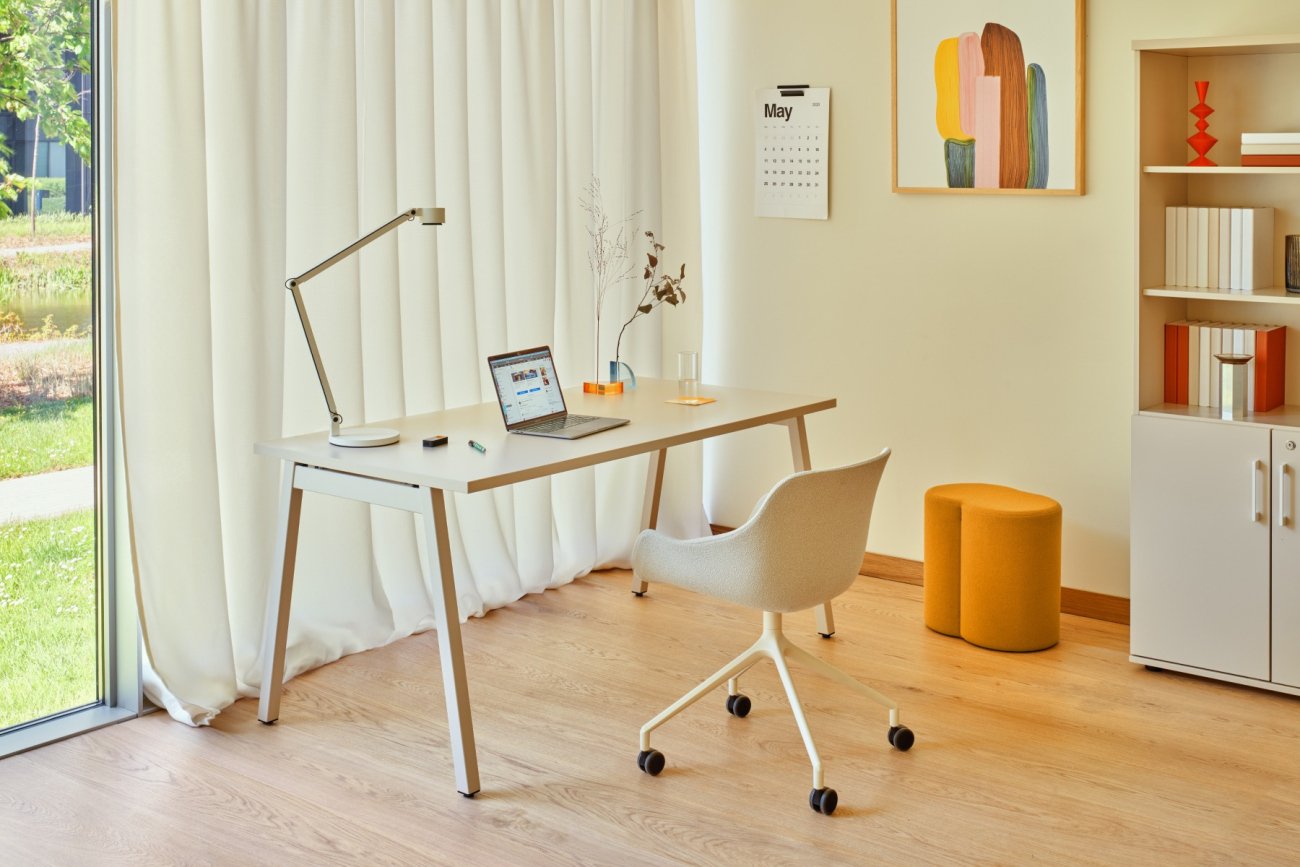 Minimalist workstation: Ogi M desk, Baltic swivel chair
Desk ergonomics
---------------
A key feature of a modern programmer's office is the ability to smoothly adjust the height of the desk top. Desks with electric height adjustment allow for easy transition between sitting and standing positions. This flexibility reduces the negative impact of prolonged sitting on the health of the lumbar region and spine.
Investing in automated position adjustment is a preventive measure. Better employee health translates into lower absenteeism and improved morale. The ease of changing position thanks to the electric mechanism is a decisive factor — if the change is difficult, the user will give up on it, which negates the health benefits. Standing work promotes better circulation, increases muscle activity and can significantly improve concentration and productivity.
When it comes to tabletop dimensions, programmers require a large work surface, especially with a multi-monitor configuration. Although the minimum desk dimensions for a person approximately 160 cm tall are 120-140 cm long and 60-80 cm deep, programming often requires the monitor to be positioned 70-80 cm from the eyes. This necessitates a minimum tabletop depth of 80 cm. The tabletop must be wide enough for the elbows to rest at a right angle, away from the edge of the desk.
Choosing a chair: static ergonomics as the last line of defence
---------------------------------------------------------------
Despite the promotion of standing work, chairs remain the main tool for supporting posture. Selecting the right chair is the foundation of an ergonomic workplace.
Professional office chairs, often referred to as orthopaedic chairs, are designed to provide adequate support for the spine and help prevent back and neck pain during long periods of work. It is essential that the chair has adjustable height, seat depth and backrest angle.
The most important feature is ergonomic lumbar support, which is essential for protecting the lower back. The correct position is when your feet rest flat on the floor and the angle between your thighs and torso is approximately 90 degrees. Adjustable armrests are also essential as they relieve pressure on the arms and shoulders, minimising the risk of strain. Mechanisms that allow you to change position dynamically while sitting support muscle activity and circulation.
Peripheral ergonomics: neutral posture and RSI prevention
---------------------------------------------------------
The positioning of your keyboard and mouse directly affects the health of your wrists, forearms and shoulders. The right angle principle is fundamental: your keyboard and mouse should be at the same height, allowing you to keep your elbows at a right angle and minimising the risk of injury. Your hands should be positioned naturally.
For programmers who generate millions of characters per year, minimising manual effort is a preventive protocol. Ergonomic keyboards should have a contoured shape and wrist rests that support optimal hand position. Advanced solutions often include low-profile keyboards (e.g., Choc), which feature minimal key travel, reducing overall physical effort. Users experiencing RSI often prefer this type of peripheral because they are lighter and easier to use.
Microergonomic techniques, such as reducing key pressure, are important. Springs with very low activation forces, for example 25g or 35g, can be used. Typing on a keyboard with such light switches is described as ‘feather-light’, which minimises the strain on the fingers and becomes a passive preventive strategy against RSI
**Element** **Recommended height/setting** **Optimal value/distance** **Health justification** Desk Dynamic adjustment (sitting/standing) Adjustment to elbows (90° angle) Reduction of lumbar strain, improved circulation Chair Adjustable depth, backrest angle, lumbar support Feet flat, 90° angle (thigh/torso) Maintaining correct spinal curvature Monitor (top edge) At eye level 70-80 cm from the eyes Prevention of excessive head tilting (neck pain), reduction of accommodative fatigue Keyboard/mouse At elbow height Elbow angle approx. 90° Minimisation of the risk of wrist and arm injuries
Visual interface: eye health and screen performance
---------------------------------------------------
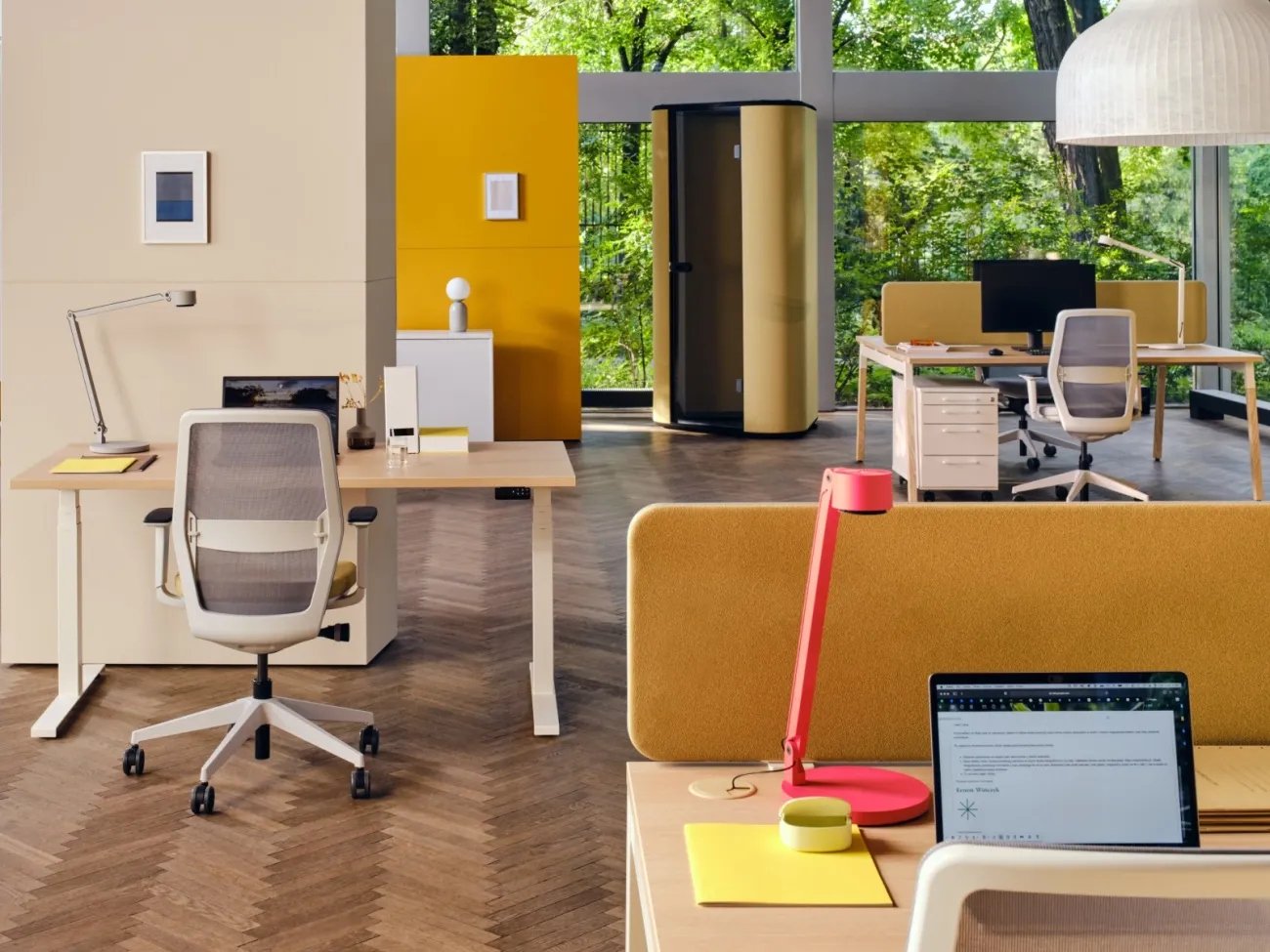 Open-plan office equipped with upholstered acoustic panels
How to optimise monitor settings for coding?
--------------------------------------------
According to ergonomic principles, the screen should be at eye level, which means that the top edge of the monitor must be at eye level. This setting is the basis for ergonomic work, preventing the need to tilt your head.
A key specific requirement for programmers is the distance from the screen. Although general office recommendations indicate 50-70 cm, working with code, which often requires the use of large monitors or multi-screen sets to simultaneously display the IDE, terminal and documentation, requires a greater distance of 70-80 cm. This distance is necessary so that the entire work area fits within the natural range of eye movement, minimising the need to move the head. A longer distance also reduces accommodation fatigue, which is exacerbated by hours of focusing on small fonts.
In addition, the recommended monitor tilt angle for programming should be 10-20 degrees, which promotes a more comfortable, slightly downward field of view. The use of a monitor stand or adjustable VESA mount is essential to allow for perfect angle and height adjustment.
Display configuration comparison: ultrawide vs. dual monitors
-------------------------------------------------------------
The decision between an ultrawide monitor and two monitors depends on the programmer's preference for workspace continuity. Ultrawide monitors are often preferred because the bezel between two monitors can be distracting and creates a discontinuity that makes it difficult to move your gaze smoothly. Ultrawide provides a uniform, large workspace, ideal for organising panels and windows.
For dual or multi-monitor setups, it is common practice to use a monitor set vertically (pivot). This monitor is typically used as a secondary screen for displaying long log files, documentation, or a terminal, rather than as the primary screen for writing code.
What eye protection technologies minimise CVS?
----------------------------------------------
Reducing eye strain (CVS) is a priority in long-term work. Harmful blue light emissions, screen flicker and glare are the main factors causing CVS.
The choice of monitor must be based on advanced eye protection technologies:
- Flicker-free technology: This is fundamental. It eliminates flickering, which occurs at all brightness levels and is a direct cause of fatigue, headaches and eye strain, especially during long coding sessions.
- Low blue light reduction: These features are crucial, especially in the evening. Programmers should use blue light reduction to reduce eye strain and prevent circadian rhythm disruption.
- Anti-reflective surfaces: Glossy screens reflect light, causing glare and reflections that cause eye strain and fatigue. Eliminating glare is essential for maintaining visual comfort.
- Adjust settings: The brightness and contrast of the monitor should be precisely adjusted to the lighting conditions. The brightness of the screen should be similar to the brightness of the surroundings, which minimises the accommodative effort of the eye.
Optimising the working environment: lighting and cable management
-----------------------------------------------------------------
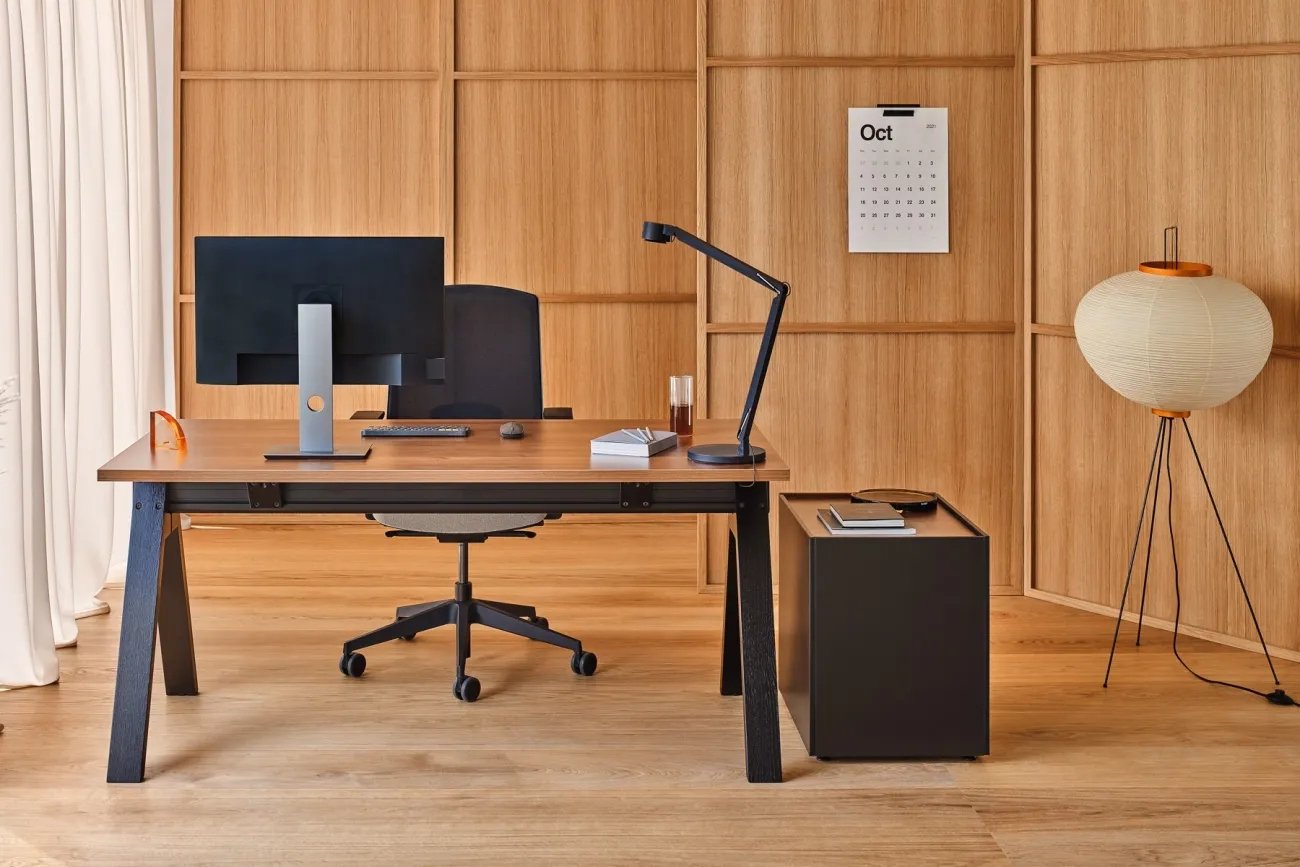 Elegant office: wooden desk with storage unit, black swivel chair
What are the lighting standards for a programmer's workstation?
---------------------------------------------------------------
Proper lighting minimises the risk of eye strain, which directly translates into work efficiency.
The basic health and safety standard for continuous computer work is a minimum light intensity of 500 lux. For occasional work, 300 lux is sufficient, but this is not adequate for a programmer who spends full hours at their desk. In terms of visual ergonomics, maintaining an ambient brightness similar to that of the screen minimises the eye's adaptation effort. Therefore, proper lighting (500 lux) acts as an active buffer, supporting monitor technologies such as flicker-free.
Natural daylight should be used to the maximum, while remembering to eliminate direct glare and reflections on the screen.
When it comes to artificial lighting, it is recommended to choose lamps with the appropriate colour temperature and brightness. Dimmable lamps are particularly useful, as working at a computer requires moderate lighting, while reading documents requires stronger light.
To optimise visual comfort, it is recommended to use dedicated monitor lamps (so-called bias lighting or screen light bars). These lamps evenly illuminate the workspace just behind the monitor or illuminate the keyboard without generating glare on the screen, which is particularly valuable when working in the evening.
**Type of activity** **Required light intensity (lux)** **Recommendations for a programmer's WFH environment** Continuous work at a computer Minimum 500 lux Uniform lighting of the environment, brightness similar to that of the screen to minimise accommodation effort Occasional computer work Minimum 300 lux Insufficient for daily, long hours of programming work Reflection management Elimination of reflections on the screen Use of lamps with adjustable brightness; strategic positioning of the desk in relation to windows
How to manage cables in a programmer's workplace?
-------------------------------------------------
Cable clutter in an advanced programmer's office (multiple monitors, power supplies, peripheral devices) is not only an aesthetic problem, but also an operational and psychological one.
Good cable management is crucial for operational efficiency, as it prevents electronic devices from overheating and ensures that cables are not bent or stretched, which extends the life of the equipment.
From a cognitive perspective, visual chaos (cable clutter) increases cognitive load and hinders the intense concentration required for coding. Organising cables improves aesthetics and makes the workspace more welcoming and efficient, which is a strategy for optimising concentration.
Cable organisation techniques include:
- Cable shelves and trays: Shelves mounted under the desk (e.g. SIGNUM, ARNBJÖRN) or frame organisers are simple and discreet, keeping cables off the floor and tabletop.
- Ducts and mounting rails: Vertical cable routing, often using ducts or guides, reduces clutter. Mounting rails serve as attachment points for cable ties, creating an orderly path and reducing stress on connectors.
- Accessories: Use specialised accessories such as organisers, cable clips, and cable ties or Velcro straps (including heavy-duty versions for large and heavy cables) to group and organise cables systematically.
Health protocols and maintaining concentration: rules for active rest
---------------------------------------------------------------------
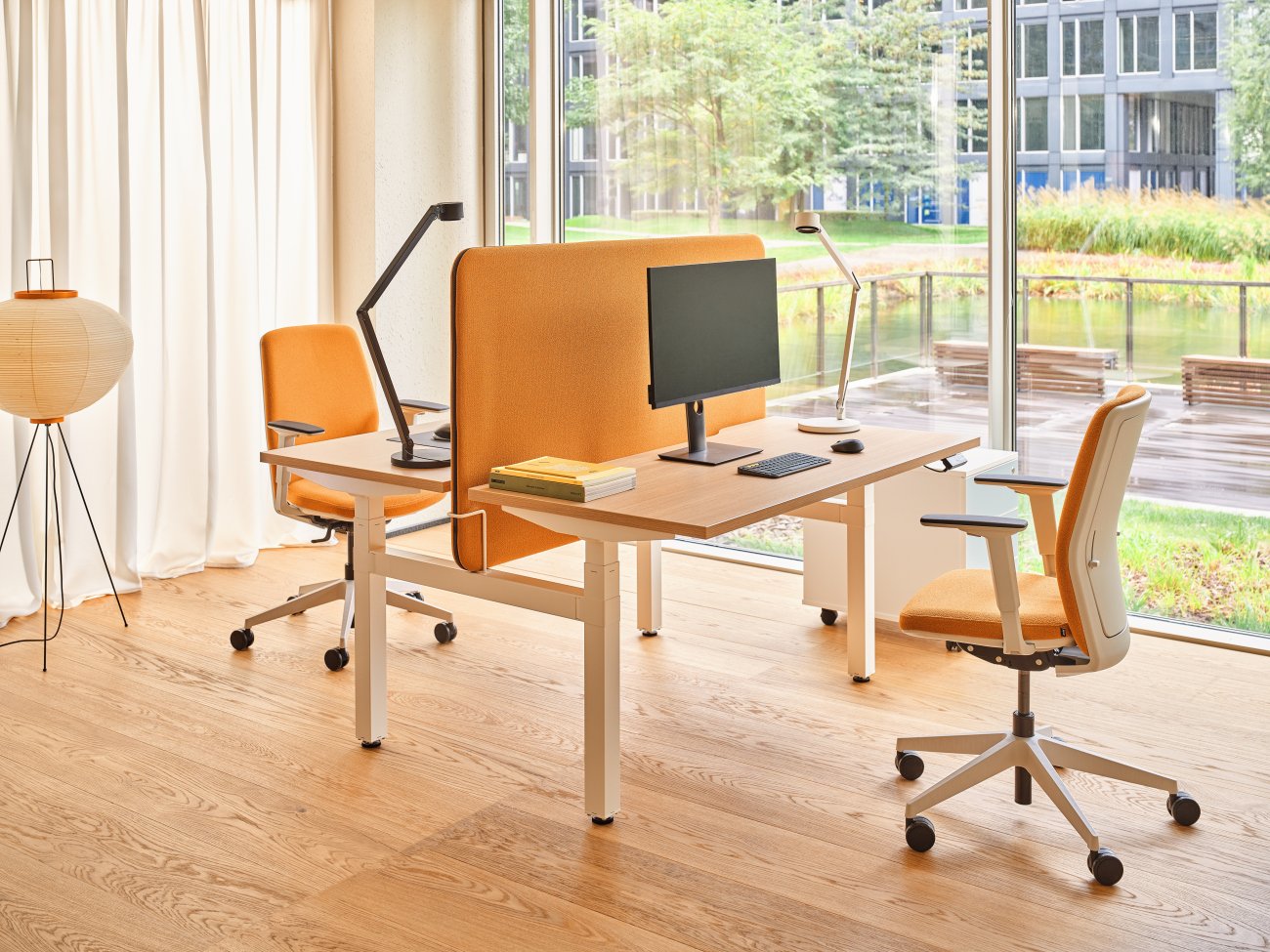 Workstation with a bench-type desk and upholstered acoustic panel
How to implement a strategy for breaks and physical activity?
-------------------------------------------------------------
Programmers must remember to take regular, short breaks, which are just as important for comfortable working as the correct monitor settings.
It is recommended to take a 5-minute break every hour, or short breaks (5-10 minutes) approximately every two hours. Breaks should be active: they should serve to relax the muscles, rest the eyes and perform stretching exercises or short walks to reduce muscle tension and relieve the lower back. A desk with the option of standing while working is an integral part of this strategy, allowing for active rest without having to leave the workstation.
In the context of eye health, it is also crucial to implement eye protection protocols (e.g. every 20 minutes, look away from the screen and focus on an object 6 metres away for 20 seconds), which minimises the risk of CVS caused by prolonged accommodation.
What peripherals minimise strain and prevent RSI?
-------------------------------------------------
The choice of keyboard and mouse has a direct impact on a programmer's health.
Keyboards: Advanced ergonomics requires consideration of split keyboards, which eliminate ulnar wrist deviation, allowing the programmer to position their hands in line with their shoulders. Alternatively, as indicated in previous sections, low-profile keyboards (choc) are highly recommended for people with RSI because they are lightweight, require minimal key travel, and allow for ultra-light activation force (e.g., 25g), reducing stress on the joints.
Mouse: In addition to a traditional, well-fitting mouse that fits comfortably in the hand, vertical mice are worth considering. A vertical mouse keeps the wrist and forearm in a neutral position, eliminating pronation (rotation of the forearm), which is one of the main mechanisms of carpal tunnel syndrome.
**Keyboard type** **Main ergonomic advantage** **Ideal use (programming)** **RSI considerations** Low profile (Choc) Minimal key travel, ultra-light activation Long typing sessions, people with RSI, minimal movement Reduced finger effort, feather-light pressure (25-35g) Split Maintains neutral arm and wrist position Advanced ergonomics, eliminates ulnar deviation Enables the healthiest wrist position, requires adaptation Full-size ergonomic Built-in wrist rest, contoured Traditional workstations, working with the numeric keypad
Wrist support, tension reduction
Summary and strategic recommendations
-------------------------------------
Creating a functional home office for a programmer is a health and productivity engineering project. It requires moving away from conventional office furniture and adopting a dynamic ergonomics strategy. A space that is flexible and tailored to the user's biometric needs promotes better work organisation and better results.
Key findings and strategic recommendations for programmers working in a WFH environment can be consolidated into five pillars:
- Dynamic desk: The priority is to invest in an electrically adjustable desk that allows for easy and frequent changes in position (from sitting to standing) to reduce spinal strain and support circulation. The tabletop should be at least 80 cm deep.
- Ergonomic chair: It is essential to use a fully adjustable chair (height, seat depth, backrest angle) with key ergonomic lumbar support.
- Visual optimisation: Monitors must be positioned so that their upper edge is at eye level. The critical, increased distance for programmers is 70–80 cm. Eye protection technologies (flicker-free, low blue light) should be selected.
- Environment and lighting: The environment must meet the 500 lux standard for continuous work, maintaining ambient brightness similar to screen brightness. Proper cable organisation (using trays, channels and Velcro) is essential to eliminate visual clutter and cognitive load.
- Health protocols: Regular, active breaks (5 minutes every hour) should be implemented and peripherals that minimise strain, such as low-profile keyboards with light activation (25g-35g) and vertical mice, should be considered to prevent RSI.
- Investing in these ergonomic solutions is a long-term investment that ensures comfort at work and supports the long-term health of the programmer. A functional office is one that actively counteracts the negative effects of long hours of coding.
 ### Author
.mdd
.mdd is an innovative and versatile partner supporting the growth of your business.
[
Colour speaking. Freezing white ](https://mdd.eu/en/blog/colour-speaking-freezing-white) [ Industrial-style office: a complete guide to loft furnishings
](https://mdd.eu/en/blog/industrial-style)
Sign up for our newsletter I consent to the processing of my personal data for marketing purposes. I have read and accept the Privacy Policy.
It looks like you're browsing from the United Kingdom
You're currently viewing prices in EUR €. Would you like to wait to GBP ₤ for accurate pricing and shipping options?
✕
switch to GBP ₤continue in EUR €
Contact [ +48 693 003 016 ](tel:+48693003016) [ shop@mdd.eu ](mailto:shop@mdd.eu)
Follow us on [ ](https://www.facebook.com/mddofficefurniture) [ ](https://www.instagram.com/mdd_furniture/) [ ](https://www.linkedin.com/company/mdd/) [ ](https://www.pinterest.com/mddoffice/)
Products [ Products ](/en/products/) [ Seating ](/en/seating/) [ Reception desks ](/en/receptions/reception-desks/) [ Desks ](/en/desks/) [ Height adjustable Desks ](/en/desks/height-adjustable-desks/) [ Tables ](/en/tables/) [ Booths ](/en/acoustics/acoustic-pods/) [ Storage furniture ](/en/cabinets-and-pedestals/)
Tools and Support [ Proper furniture care ](/en/proper-furniture-care/) [ Linx ](https://www.mddlinx.com/?jezyk=EN) [ Price list ](https://pricelist.mdd.pl/pricelist/en/) [ Pcon Planner ](/en/pcon-planner/) [ Digital tools ](/en/digital-tools/) [ Image Bank ](/en/image-bank/) [ FAQ ](/en/faq/) [ Order swatches ](/en/swatches-and-sample-sets/) [ Submit claim ](/en/report-a-complaint/?lang=EN)
About .mdd [ News and blog ](/en/blog/) [ Sustainability ](/en/sustainability/) [ Press ](/en/infoandpress/) [ Designers ](/en/our-designers/) [ About us ](/en/about-us/) [ Contact ](/en/contact/)
Legal Information [ Terms of use ](/en/terms-of-use/) [ Cookies policy ](/en/cookies-policy/) [ Privacy policy ](/en/general-privacy-policy/)
European Union © .mdd 2026
Change region
Select your language
[Polish](https://mdd.pl/) [English](https://mdd.eu/en/) [German](https://mdd.eu/de/) [French](https://mdd.eu/fr/) [Italian](https://mdd.eu/it/) [Spanish](https://mdd.eu/es/)
- Consent
- Adjust
- About cookies
This website uses cookies
We use cookies to personalise content and ads, to provide social media features and to analyse our traffic. We also share information about your use of our site with our social media, advertising and analytics partners, who may combine it with other information that you’ve provided to them or that they’ve collected from your use of their services.
Essential
Essential cookies contribute to the usability of the website by enabling basic functions such as site navigation and access to secure areas of the website. Without those cookies, the website cannot function properly.
Statistic
Statistic cookies help the website owner understand how users behave on the website, collecting and reporting anonymous information.
Google 3
[Learn more about this provider](https://policies.google.com/privacy)\_gid
Registers a unique ID that is used to generate statistical data on how the visitor uses the website.
Expiry: 1 day
Type: HTTP
\_ga
Registers a unique ID that is used to generate statistical data on how the visitor uses the website.
Expiry: 399 days
Type: HTTP
\_ga\_#
Used by Google Analytics to collect data on the number of times a user has visited the website as well as dates for the first and most recent visit.
Expiry: 399 days
Type: HTTP
Marketing
Marketing cookies are used to track users on the website. The aim is to display advertisements that are relevant and interesting for individual users and thus more valuable to third-party publishers and advertisers. [Learn more about Google's Privacy Policy.](https://business.safety.google/privacy/)
Google 1
[Learn more about this provider](https://pl-pl.facebook.com/privacy/policy/?entry_point=facebook_page_footer)\_gcl\_au
Used by Google AdSense for experimenting with advertisement efficiency across websites using their services.
Expiry: 3 months
Type: HTTP
Facebook 1
\_fbp
Used by Facebook to deliver a series of advertisement products such as real-time bidding from third-party advertisers.
Expiry: 399 days
Type: HTTP
Cookies are small text files that can be used by websites to make a user's experience more efficient. The law states that we can store cookies on your device if they are strictly necessary for the operation of this site. For all other types of cookies, we need your permission. This means that cookies, which are categorized as necessary, are processed based on GDPR Art. 6 (1) (f). All other cookies, meaning those from the categories preferences and marketing, are processed based on GDPR Art. 6 (1) (a) GDPR. This site uses different types of cookies. Some cookies are placed by third-party services that appear on our pages. You can at any time change or withdraw your consent from the Cookie Declaration on our website. Learn more about who we are, how you can contact us and how we process personal data in our Privacy Policy. Please state your consent ID and the date when you contact us regarding your consent.
Reject Consent Accept all Accept checked